Connect Your Accounting System
Last updated: May 11, 2026
How to connect your accounting system
Connecting your accounting system is the first step in setting up Nume, allowing your AI CFO to understand your financial situation. It is required to connect at least one accounting system during the onboarding flow.
How to Connect
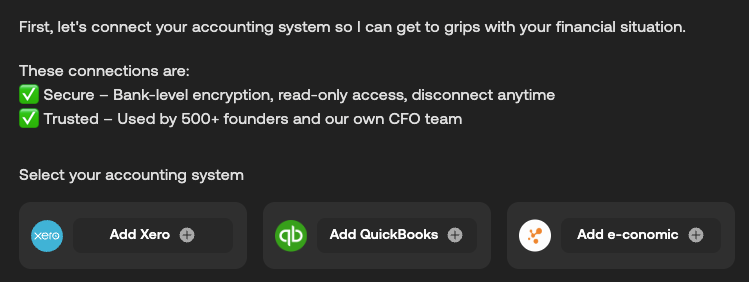
At first signup, Nume will ask you to select and connect your accounting system.
You will be redirected to the accounting system's secure login page in a pop-up window to link their account.
You will log in using your accounting system credentials and, if applicable, complete two-factor authentication. You will then be asked to grant Nume read-only permission to access your financial data.
After a successful connection, you can continue with Nume's onboarding flow.
We currently support direct integrations with the following leading accounting systems:
Xero
QuickBooks
E-conomic
Zoho Books
Odoo
Connection Details
Read-Only Access: All connections are secured with bank-level encryption and provide Nume with read-only access to your data. Nume never alters your records.
Trusted: Our connections are trusted, used by 500+ founders and our own CFO team.
Management: You can always adjust, disconnect, or reconnect your accounting system later in Nume's Settings.